
Your recipes.
Free to use · upgrade to Pro for $14.99 · one household license covers all your devices & platforms · no subscription
Everything in one place,
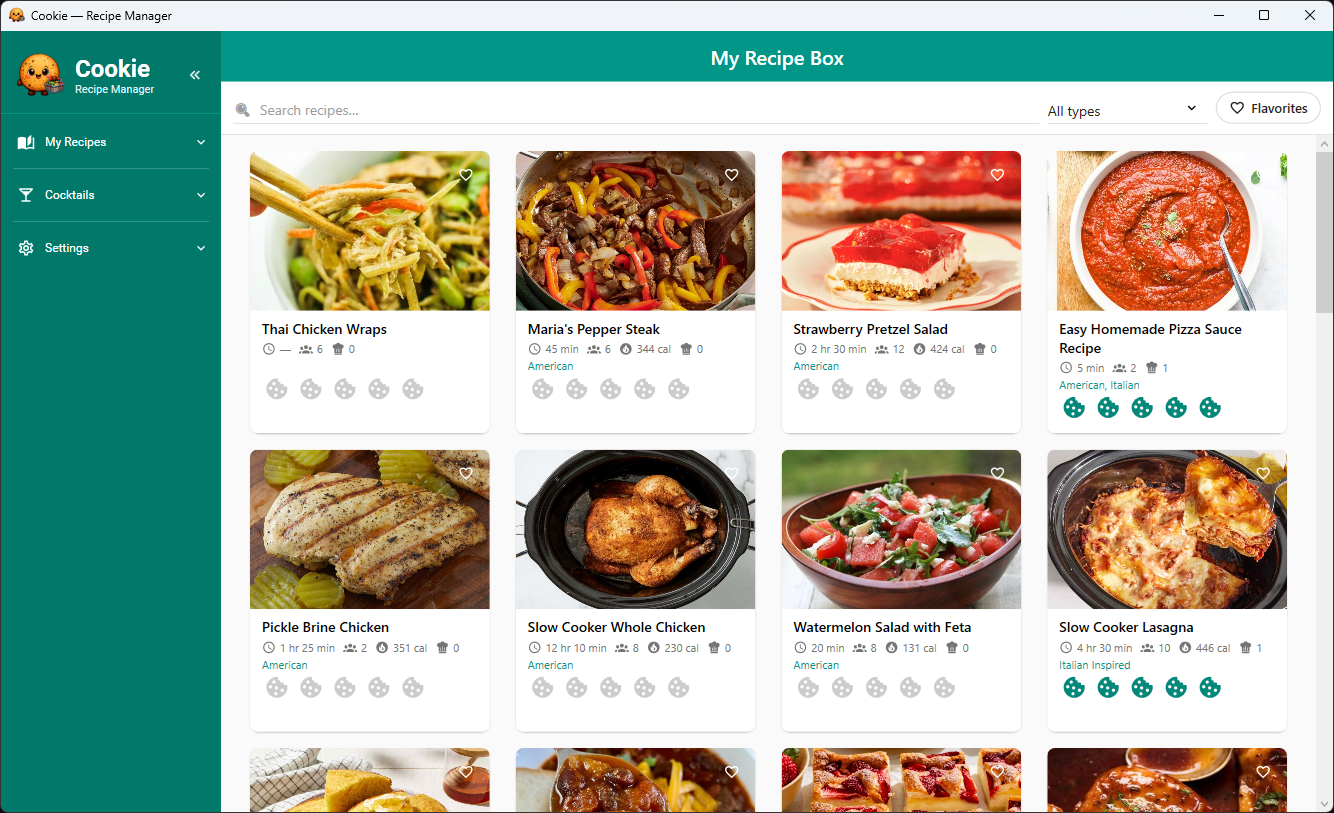
From saving a recipe to planning the week and printing the shopping list — all in one app. Click any screenshot to enlarge.
Recipe library — your whole collection at a glance
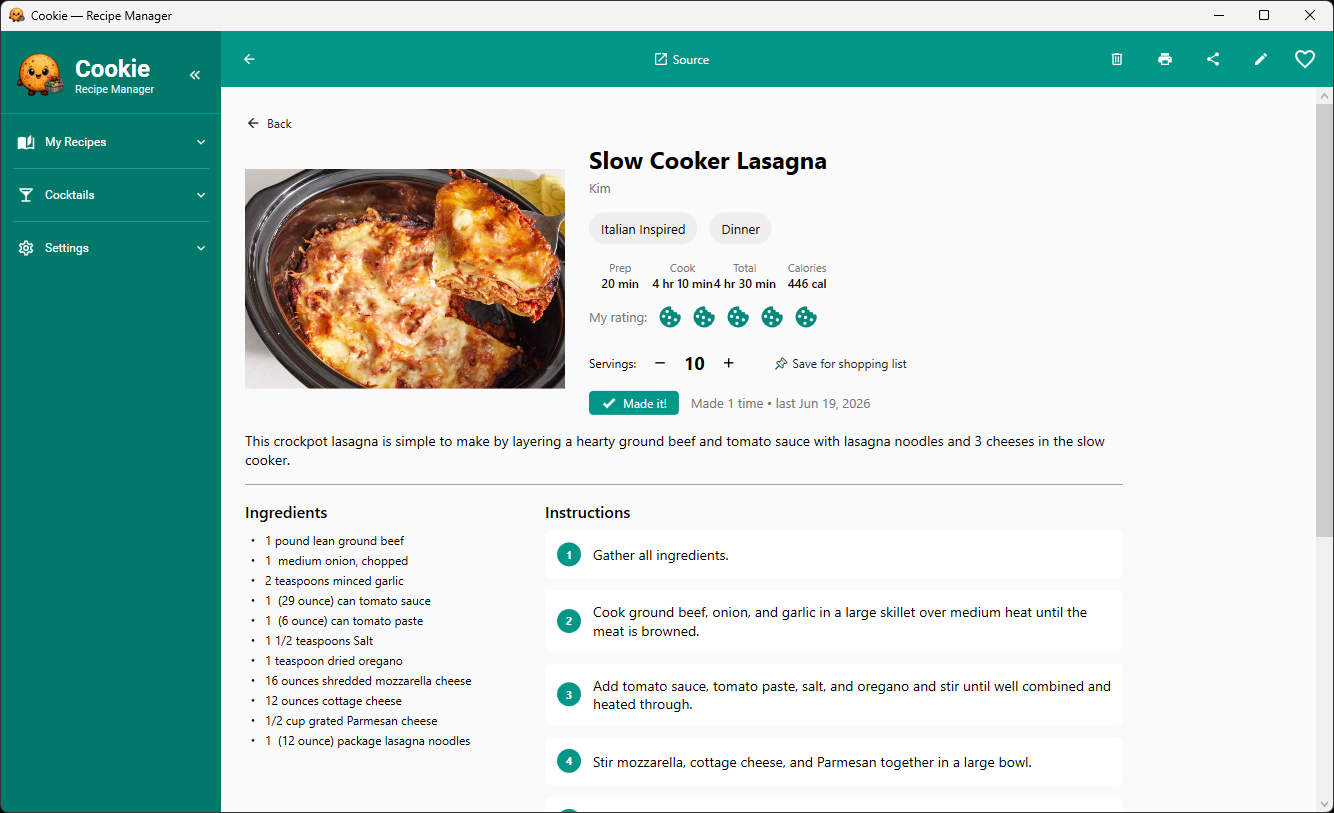
Recipe detail — ingredients, steps, nutrition and your rating
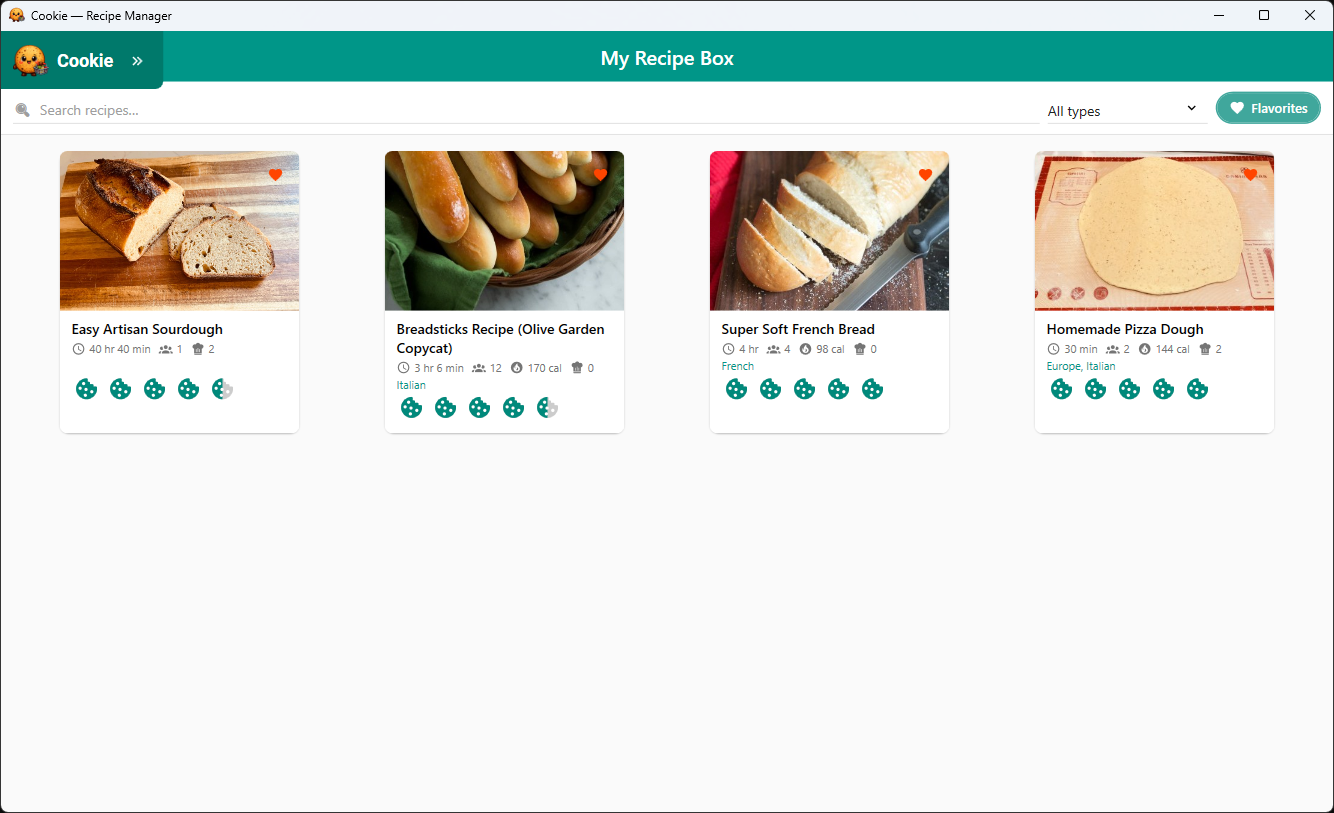
Flavorites — filter by your favourite recipes and ratings
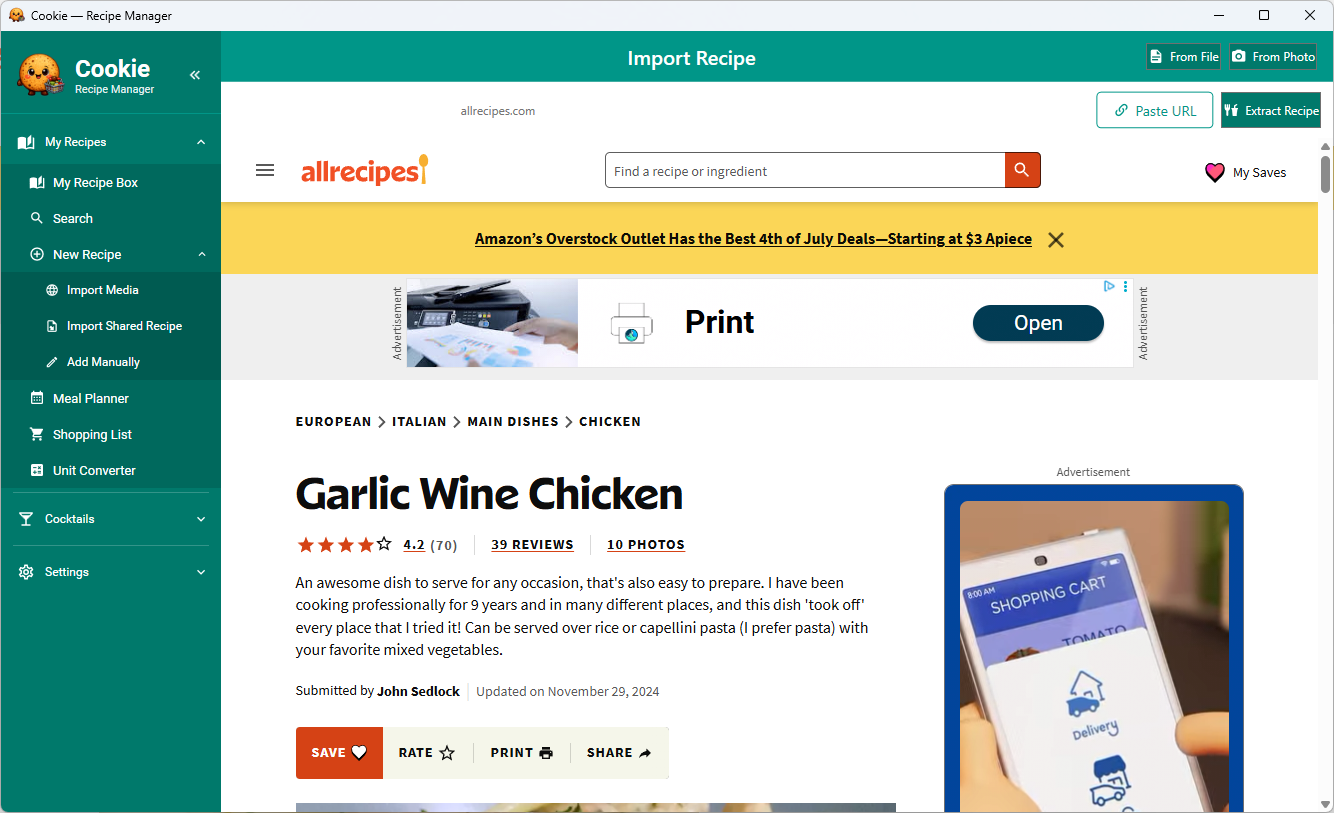
Web import — paste a URL and Cookie extracts everything automatically
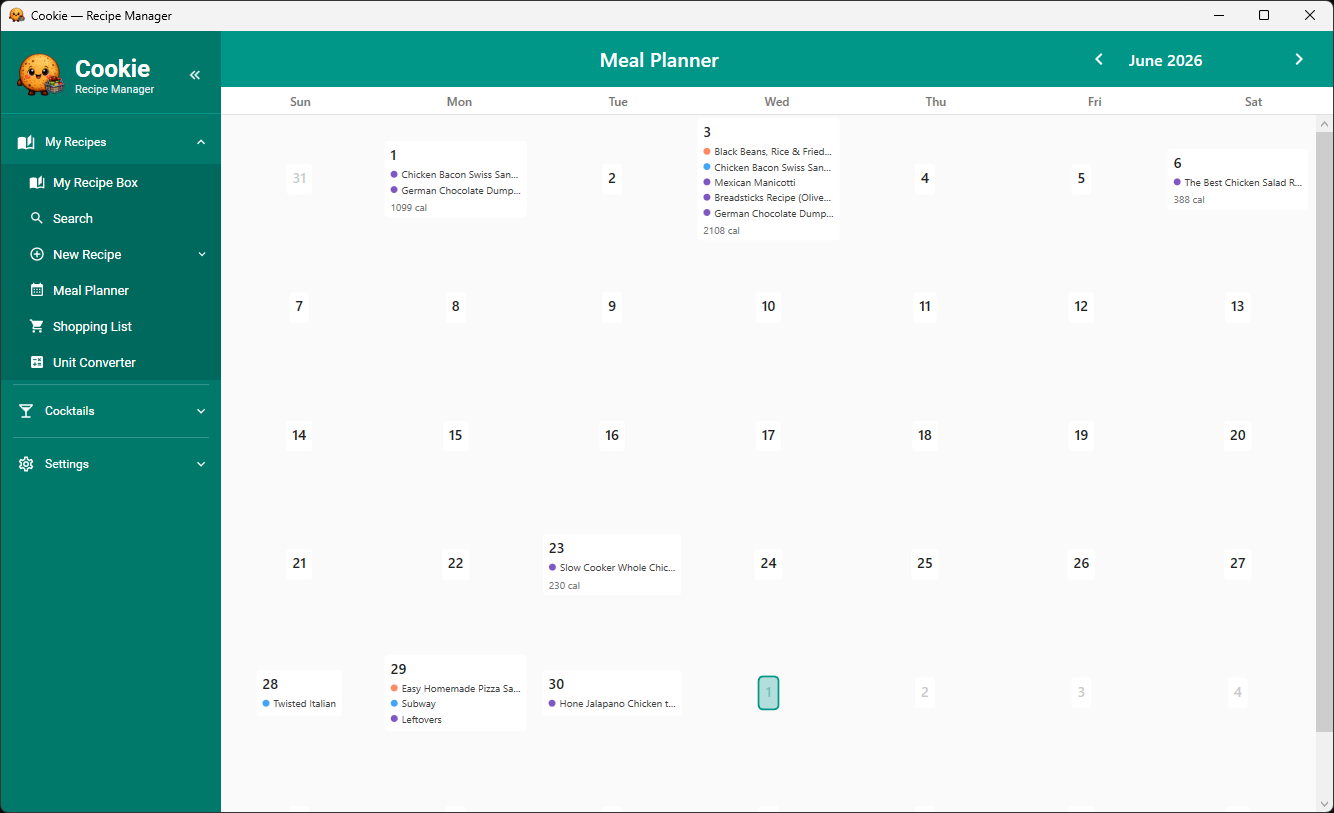
Meal Planner — plan every meal across the full month
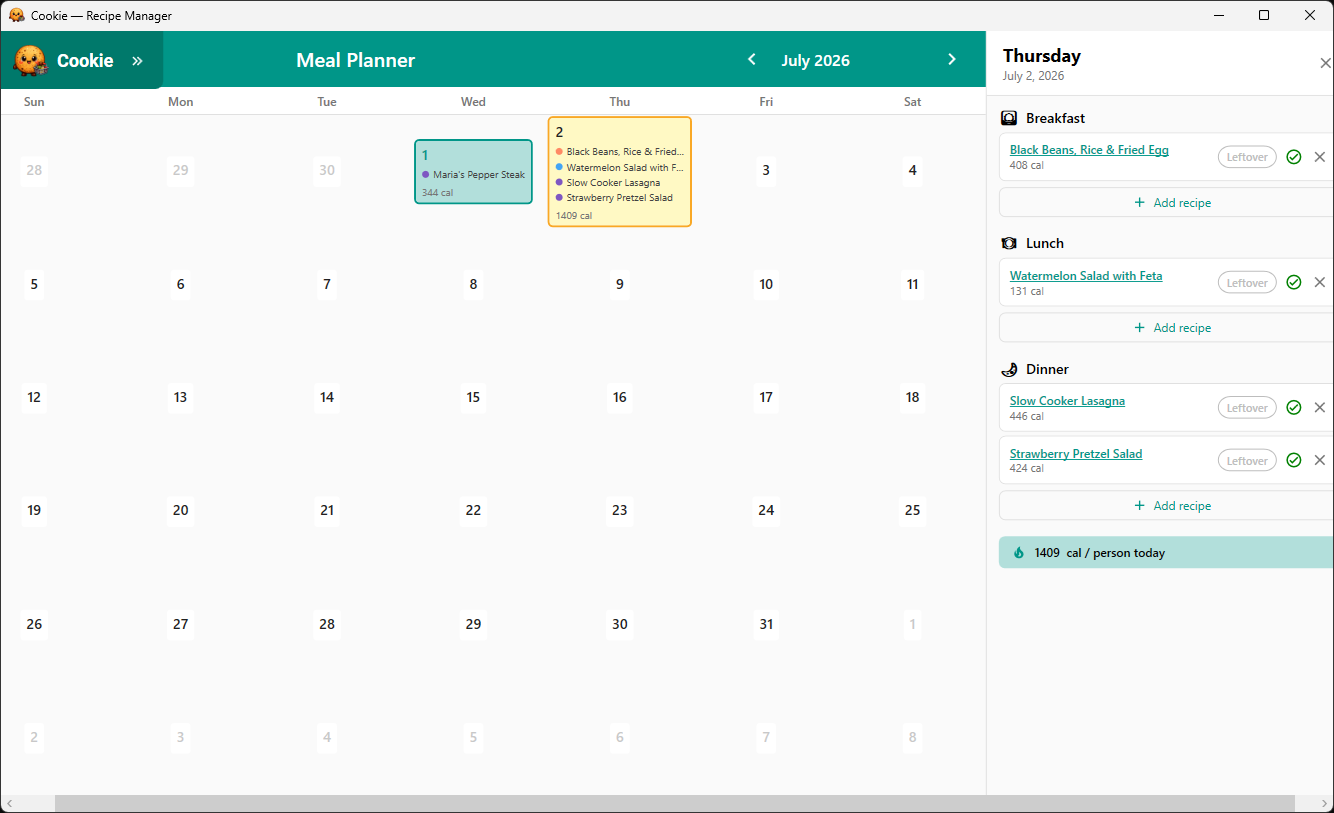
Meal Planner — breakfast, lunch and dinner with calorie totals per person
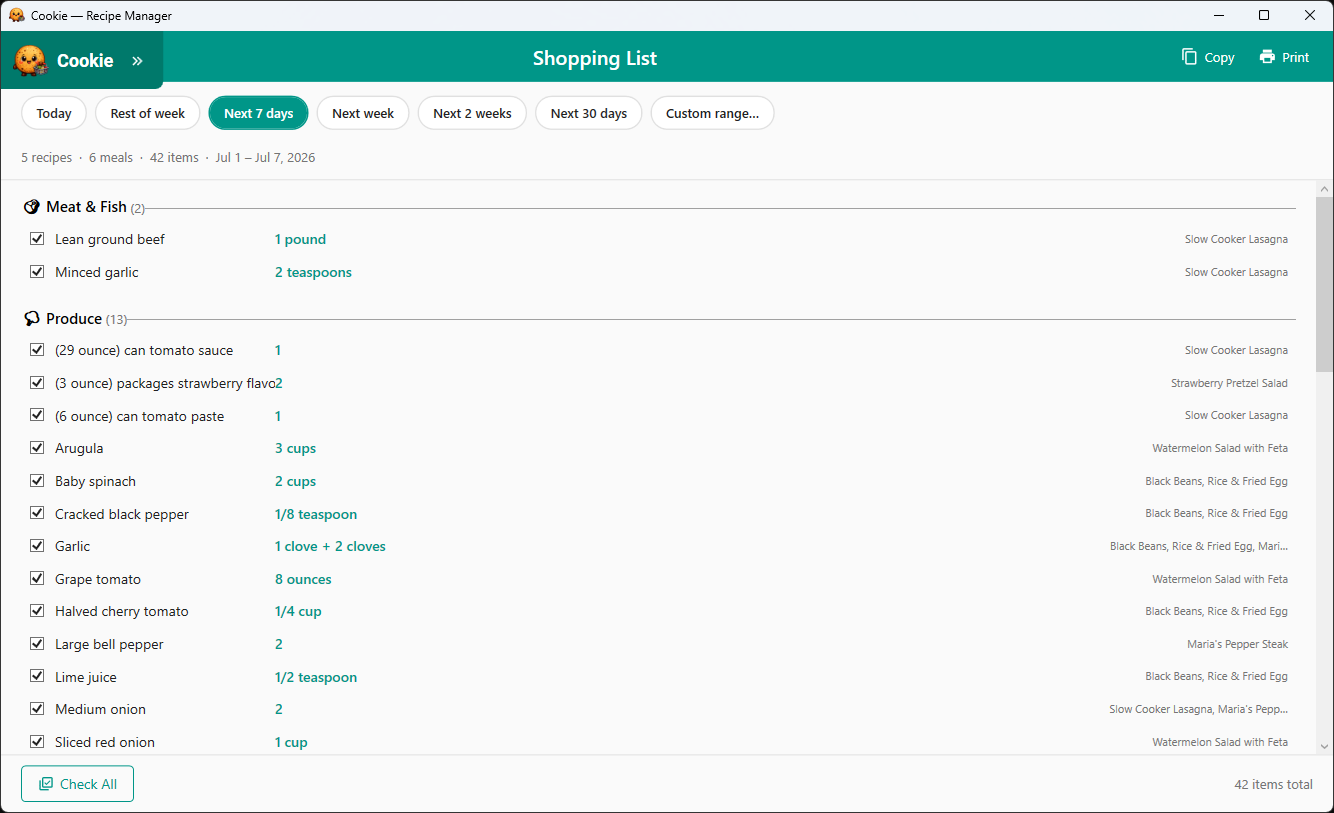
Shopping List — auto-generated from your meal plan, sorted by aisle
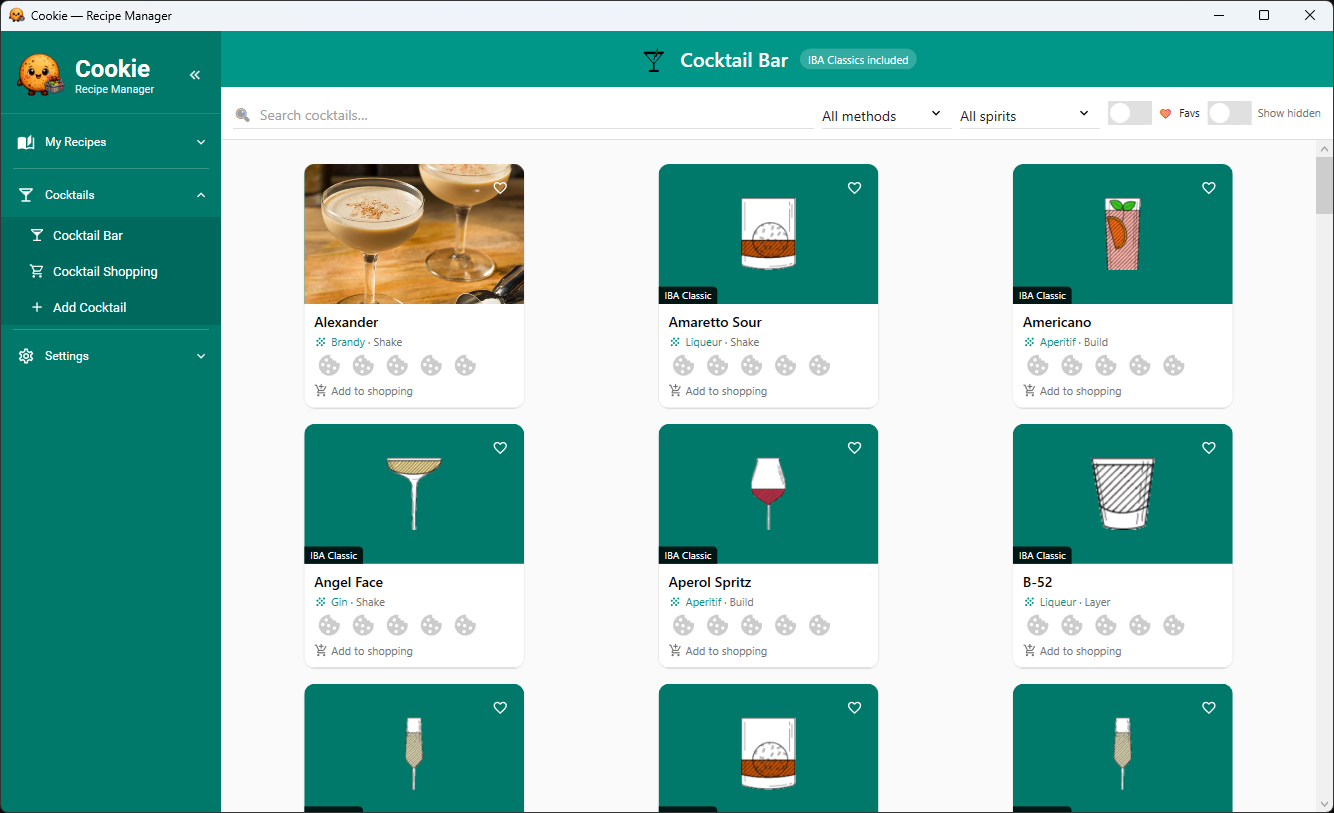
Cocktail Bar — 83 IBA classics plus your own recipes ($1.99 add-on)
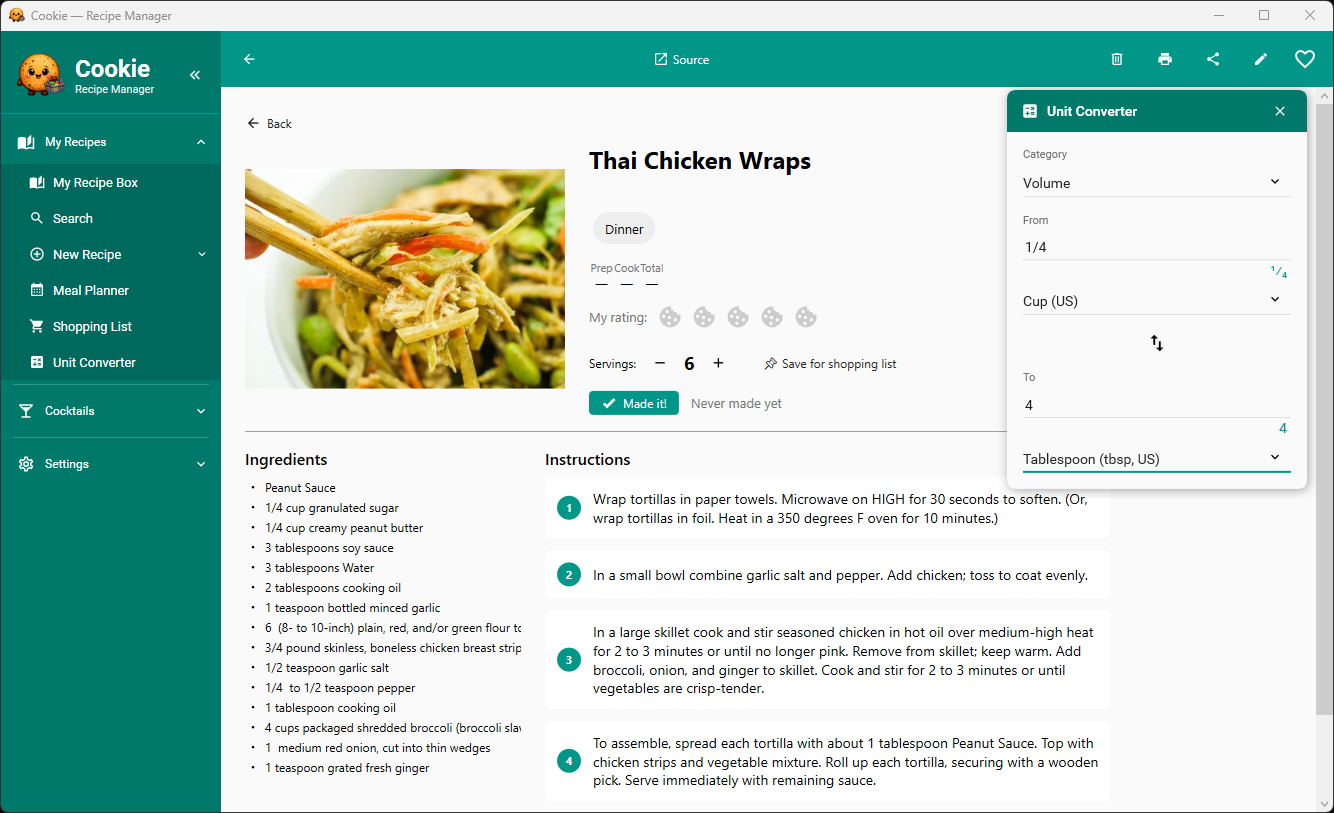
Unit Converter — convert measurements without leaving the recipe
Cookie on your phone —
The Android and iOS apps share the same recipe library via Google Drive. Browse, import, plan and shop from your phone using the same collection you have on Windows.
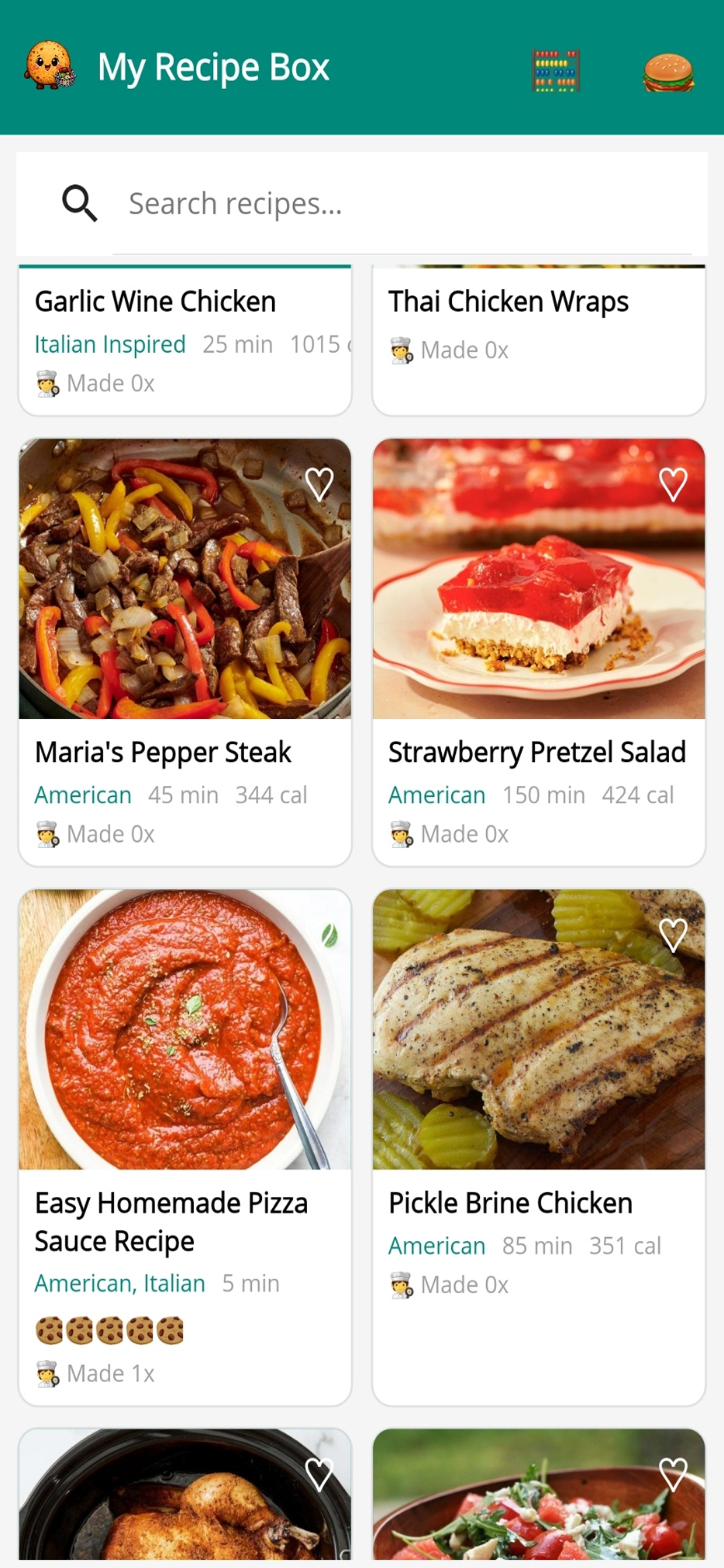
Android — recipe library
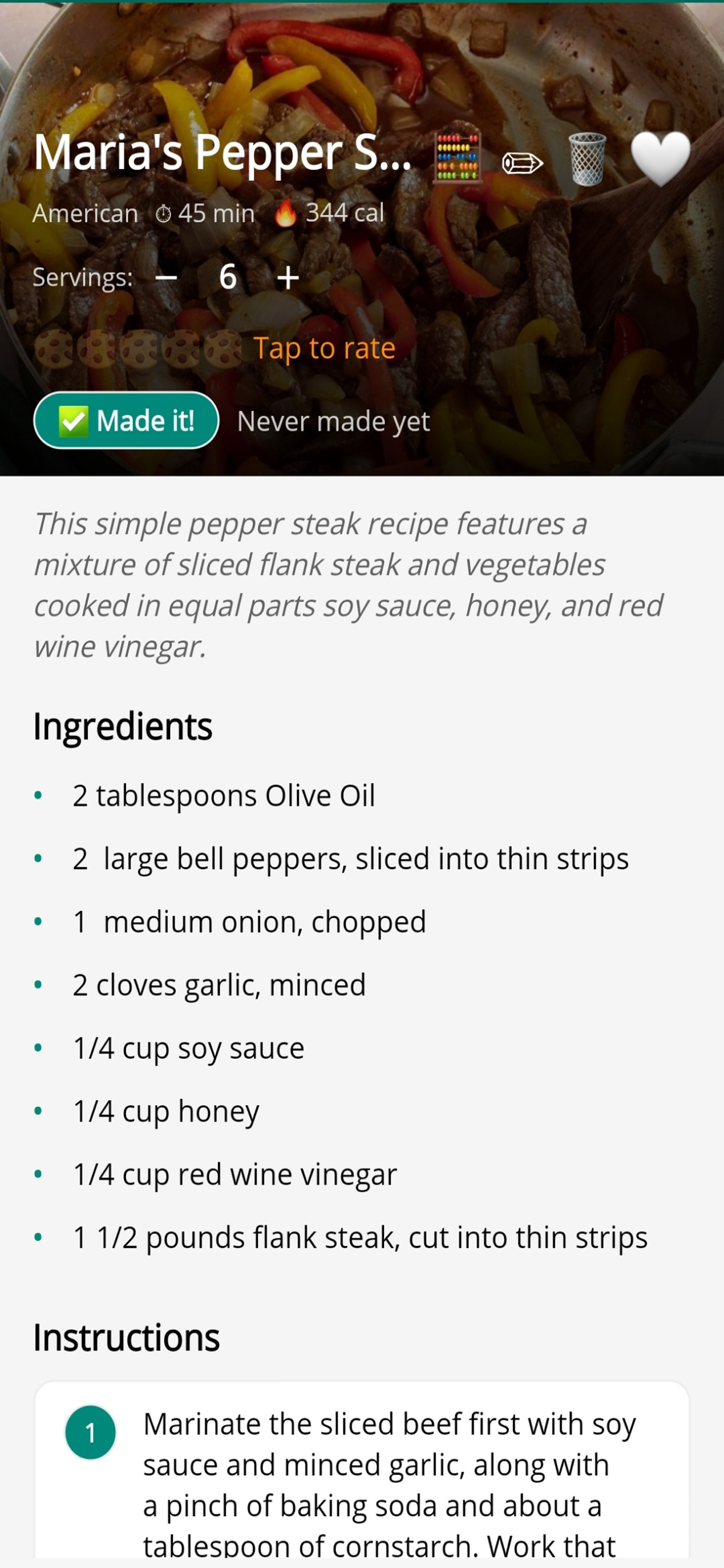
Android — recipe detail with cooking tracking
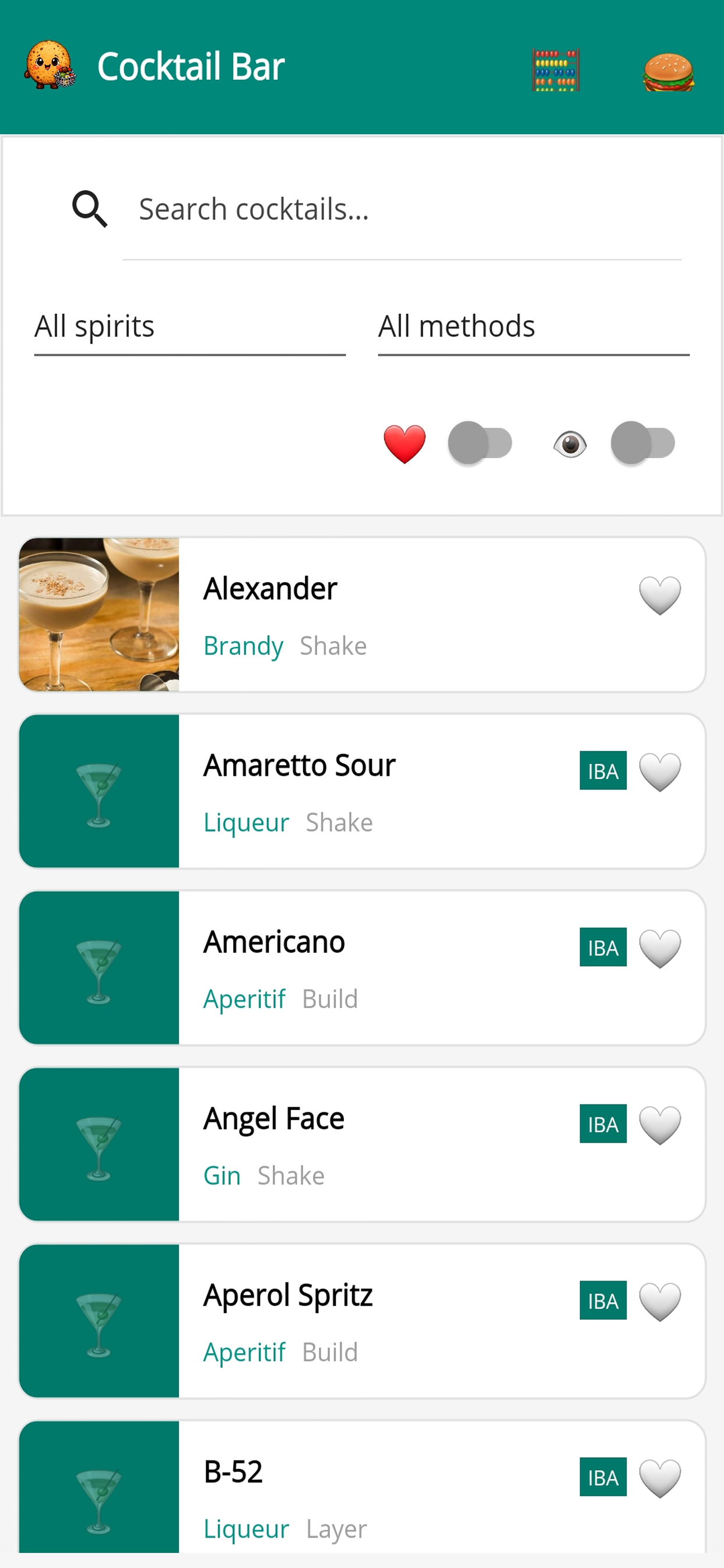
Android — Cocktail Bar with IBA classics
Built for
One-Click Web Import
Paste any recipe URL and Cookie extracts the title, ingredients, instructions, nutrition facts, and photo automatically. Works with thousands of sites including AllRecipes, Food Network, BBC Good Food, and more. Available on Windows and mobile.
Scan Printed Recipes
Point your camera at a recipe card, cookbook page, or printout. Cookie uses OCR to read the text and builds a structured recipe ready to cook from — no typing required. Available on Windows and mobile.
Whole-Household Sync
Buy Cookie Pro once and your whole household shares one recipe library. On Windows, sync via NAS, Google Drive, OneDrive, or Dropbox — or use Local Network Sharing to sync between Windows PCs on the same Wi-Fi without any folder setup. On Android and iOS, sync uses Google Drive.
Meal Planner
Plan breakfast, lunch, and dinner on a full monthly calendar. Click any day to assign meals from your library, and calorie totals per person update in real time as you fill in the week. Available on Windows and mobile.
Smart Shopping List
Generate a shopping list from your meal plan for any date range — today, next 7 days, next month, or a custom range. Ingredients are combined, deduplicated, and grouped by category. Check off items as you shop, or copy and print the whole list.
Flavorites & Ratings
Rate recipes with a 5-cookie rating, mark your favourites as Flavorites, and filter your library by ingredient, cuisine, or category. Find the right recipe fast no matter how large your collection grows.
Recipe Sharing
Share any recipe from your library with family or friends. Send it directly from the app so nothing gets lost in a screenshot or a forwarded link.
Unit Converter Windows
Convert any cooking measurement without leaving the recipe — volume, weight, temperature, and more. Open the converter from any recipe page and it stays pinned as you scroll through the ingredients.
Cocktail Bar $1.99 add-on
83 IBA classic cocktails built in — the globally recognised standard set every bartender knows. Filter by spirit, browse by glass type with visual icons, generate a cocktail shopping list, and add your own cocktail recipes. Available on Windows and mobile.
Free to start.
Download free and save up to 5 recipes. Upgrade to Pro once — it unlocks for everyone in your household, on every device and platform.
Free Version — Limits
- Limited to 5 recipes
- No NAS or network share (Windows)
- No cloud sync (Windows)
- Cocktail Bar add-on not available
Free Version — Fully Included
- ✓ All core recipe features
- ✓ Web import & camera scan
- ✓ Meal planner & shopping list
- ✓ Google Drive sync (Android & iOS)
Your Pro purchase covers all platforms — activate on Windows and it carries over to Android and iOS automatically.
Try Cookie on
Both mobile apps are available now for early testers. Join the beta, sync your Windows recipe library via Google Drive, and let us know how it feels on your device.
Android — Google Play Closed Beta
Cookie is on Google Play in closed testing. Join the beta program to install it directly from the Play Store on your Android phone or tablet.
After joining, install Cookie from the Play Store as usual. Cloud sync uses Google Drive — OneDrive is not available on Android.
iPhone — iOS TestFlight
Cookie is available on TestFlight for iPhone. Install Apple's TestFlight app first, then tap the link below to join the beta and install Cookie.
Requires TestFlight (free, from the App Store) on your iPhone. Cloud sync uses Google Drive on iOS.
Sync with Windows: To share your existing Windows recipe library with your phone, open Cookie on Windows → Settings → Database → Cloud Sync, connect Google Drive, then sign in to the same Google account in the Android or iOS app's Settings. Your recipes, meal plans, and images sync automatically.
Common
What does the free version include?
The free version gives you access to all core recipe features — web import, camera scanning, meal planner, and shopping list — for up to 5 recipes. On Android and iOS, Google Drive cloud sync is also free. On Windows, NAS/network share and cloud sync require a Pro upgrade.
How much does Cookie Pro cost, and what counts as a household?
Cookie Pro is a one-time in-app purchase of $14.99. It unlocks unlimited recipe storage, NAS/network share and cloud sync on Windows, and all future updates. A household means all the devices in your home — any device connected to the same recipe library is covered automatically, regardless of platform.
Is Cookie available on Android and iPhone?
Yes — both are available now as betas. Android is in closed testing on Google Play (join using the links in the Beta section above). iOS is available on TestFlight. Both will move to full production releases once testing is complete.
Does one Pro purchase cover Android and iPhone too?
Yes. Activate Pro on Windows and your household license automatically covers Android and iOS devices that connect to the same Google Drive library — no additional payment needed on any platform.
Can I import recipes from the web?
Yes. Paste any recipe URL and Cookie extracts the title, ingredients, instructions, nutrition facts, and photo automatically. It works with thousands of sites including AllRecipes, Food Network, BBC Good Food, and more. Web import is available on Windows and mobile.
Can I scan a printed recipe?
Yes. Use the camera import option and point your phone or webcam at a recipe card, cookbook page, or printout. Cookie uses OCR to read the text and builds a structured recipe you can cook from immediately.
How does household sync work?
On Windows, Cookie can sync via a NAS or shared network folder, through Google Drive, OneDrive, or Dropbox, or directly between Windows PCs on the same Wi-Fi using Local Network Sharing (no folder setup needed). On Android and iOS, sync uses Google Drive. OneDrive is not supported on mobile.
What is the Cocktail Bar add-on?
Cocktail Bar is a $1.99 in-app purchase that adds a full cocktail manager. It comes preloaded with 83 IBA (International Bartenders Association) classic cocktails — the globally recognised standard set every bartender knows. Filter by spirit, browse by glass type with visual icons, generate a cocktail shopping list, and add your own recipes.
How do I sync my Windows recipes to my phone?
In Cookie on Windows, go to Settings → Database → Cloud Sync and connect your Google account. Then on your Android or iOS device, open Cookie Settings and sign in to the same Google account. Your recipes, meal plans, and images will sync automatically.
What platforms does Cookie run on?
Cookie is live on Windows via the Microsoft Store. Android is in closed beta on Google Play and iOS is available via TestFlight — see the Beta section above for join links. One Pro purchase covers your entire household across all platforms.